

Scoold
Open SourceKnowledge sharing for your team, inspired by the Stack Exchange platform
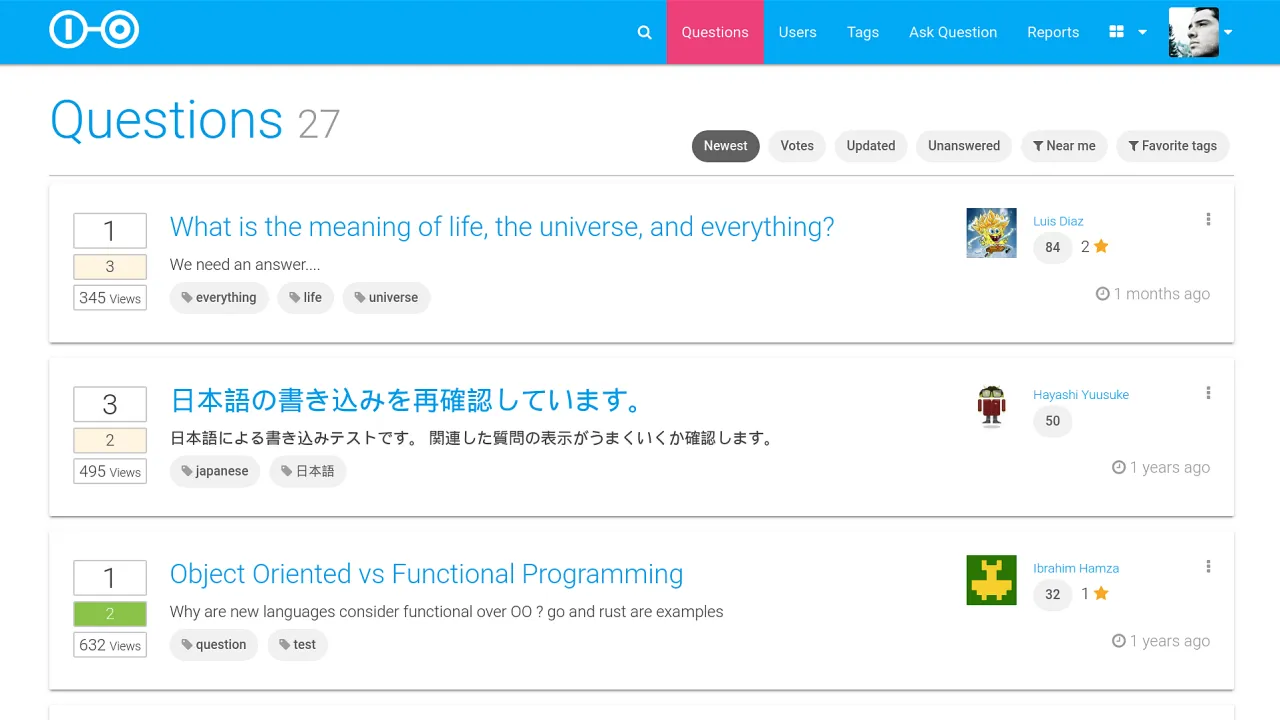
Scoold is a Q&A and a knowledge sharing platform for teams. The project was created back in 2008, released in 2012 as social network for schools inspired by Stack Overflow. In 2017 it was refactored, repackaged and open-sourced.
Scoold can run anywhere - Heroku, DigitalOcean, AWS, Azure or any VPS hosting provider. It’s lightweight (~7000 LOC), the backend is handled by a separate service called Para. All the heavy lifting is delegated to Para which can also be configured to store the data in any of the popular databases. This makes the Scoold code base easy to read and can be learned quickly, even by junior developers.
Features
- Full featured Q&A platform
- Database-agnostic, optimized for cloud deployment
- Full-text search
- Distributed object cache
- Location-based search and “near me” filtering of posts
- I18n with RTL language support
- Reputation and voting system with badges
- Custom badges - add your own text, icon and color
- Spaces (Teams) - groups of isolated questions and users
- Webhooks with signature signing
- Zapier integration
- Minimal frontend JS code based on jQuery
- Modern, responsive layout powered by Materialize CSS
- Suggestions for similar questions and hints for duplicate posts
- Email notifications for post replies and comments
- Backup and Restore
- RESTful API defined with OpenAPI 3.0
- Spring Boot project (single JAR)
- Mutual authentication support (mTLS)
- LDAP authentication support
- Social login (Facebook, Google, GitHub, LinkedIn, Microsoft, Slack, Amazon, Twitter) with Gravatar support
- Syntax highlighting for code in posts, GFM markdown support with tables, task lists and strikethrough
- Import data from Stack Overflow for Teams
- Emojis! - using this cheat sheet or inline Unicode
- Support for uploading custom avatars (to Imgur, Cloudinary)
- SEO friendly
- Cookie consent (for GDPR, CCPA, etc.)
Live DEMO
For admin access, go to the demo login page and click “Continue with Demo Login”.
Copyright Erudika Ltd.
Licensed under the Apache License, Version 2.0 (the “License”);
you may not use this file except in compliance with the License.
You may obtain a copy of the License at
https://www.apache.org/licenses/LICENSE-2.0
Unless required by applicable law or agreed to in writing, software
distributed under the License is distributed on an “AS IS” BASIS,
WITHOUT WARRANTIES OR CONDITIONS OF ANY KIND, either express or implied.
See the License for the specific language governing permissions and
limitations under the License.